
The family control center for every team and activity
Your family is the team that matters the most.
TeamMachine brings assigned teams, outside-team email, personal events, messages, rides, and last-minute changes into one calm Family Hub—without taking individual control away from anyone.


See the Family Hub come to life
Meet the Smith family.
TeamMachine is more than a centralized sports calendar. It becomes the coordination layer for every person, activity, message, ride, private commitment, and development record that moves a family.
Read the complete story
Meet the Smith family. Noah is a Division One college soccer athlete balancing training, travel, classes, recovery, and matches. Nixon plays varsity soccer, competes on an elite club roster, and adds futsal to the mix. Noel plays varsity singles tennis and works at the family business. Neve is an emerging junior tennis player who also competes in dance. Mom and Dad balance demanding work lives, transportation, volunteering, and everything the week throws at them. One Tuesday, Nixon has varsity training, Noel has an away singles match, Neve has dance, Mom is trapped in a client meeting, and Dad is volunteering. The Family Hub puts all five commitments on one calendar, flags that Nixon has no available ride at 5:20, and shows Mom the approved Rider Givers who can help. Mom opens the alert and asks Grandma Elaine, who is twelve minutes away. The ride is assigned, Nixon’s event turns green, and everyone involved is notified. That is the difference between merely showing a calendar and helping the family solve the day. Every Family Hub also includes one shared outside-team email address. The Smith family uses smith42@mrtm.app anywhere another team, school, club, or studio asks for a contact email. TeamMachine identifies the source and person and brings useful schedule details into the Hub. Personal Google calendars flow into the same view. The family can add school events, appointments, work shifts, dinners, and private commitments without publishing them to a sports team. Player cards keep statistics, achievements, coach feedback, and family-added development notes tied to the right athlete. The Message Center brings authorized inbox mail, team posts, attachments, and live chats from every TeamMachine group into one place, with every reply staying in its original team context. No school, club, studio, or employer has to change software. TeamMachine gives the Smith family one dependable place to coordinate the people—not just the sports. Your family is the team that matters the most. Ready to bring everyone together? Request closed-beta access to explore the complete experience.
A different week for everyone.
Choose a person, or play the narration and watch the family introduce itself.
THE SMITH FAMILY
Six lives. One shared week.
Every person has different teams, priorities, messages, and commitments. The Family Hub keeps the household together without flattening everyone into one account.
The family operating system.
Explore the workflows that make the product useful every day—and sticky between sports seasons.
Use smith42@mrtm.app anywhere another app, school, club, or studio asks for a family contact. TeamMachine collects the updates and brings useful schedule details into the Hub.
ONE TUESDAY · FIVE PLACES
A calendar should expose the problem before Mom discovers it in the car.
TeamMachine combines every source, spots the overlap, and turns a crowded family calendar into a clear schedule alert.
- Nixon needs pickup at 5:20 while both parents are committed
- Noel’s away match and Neve’s dance rehearsal stay visible
- The unresolved ride is called out before the day falls apart
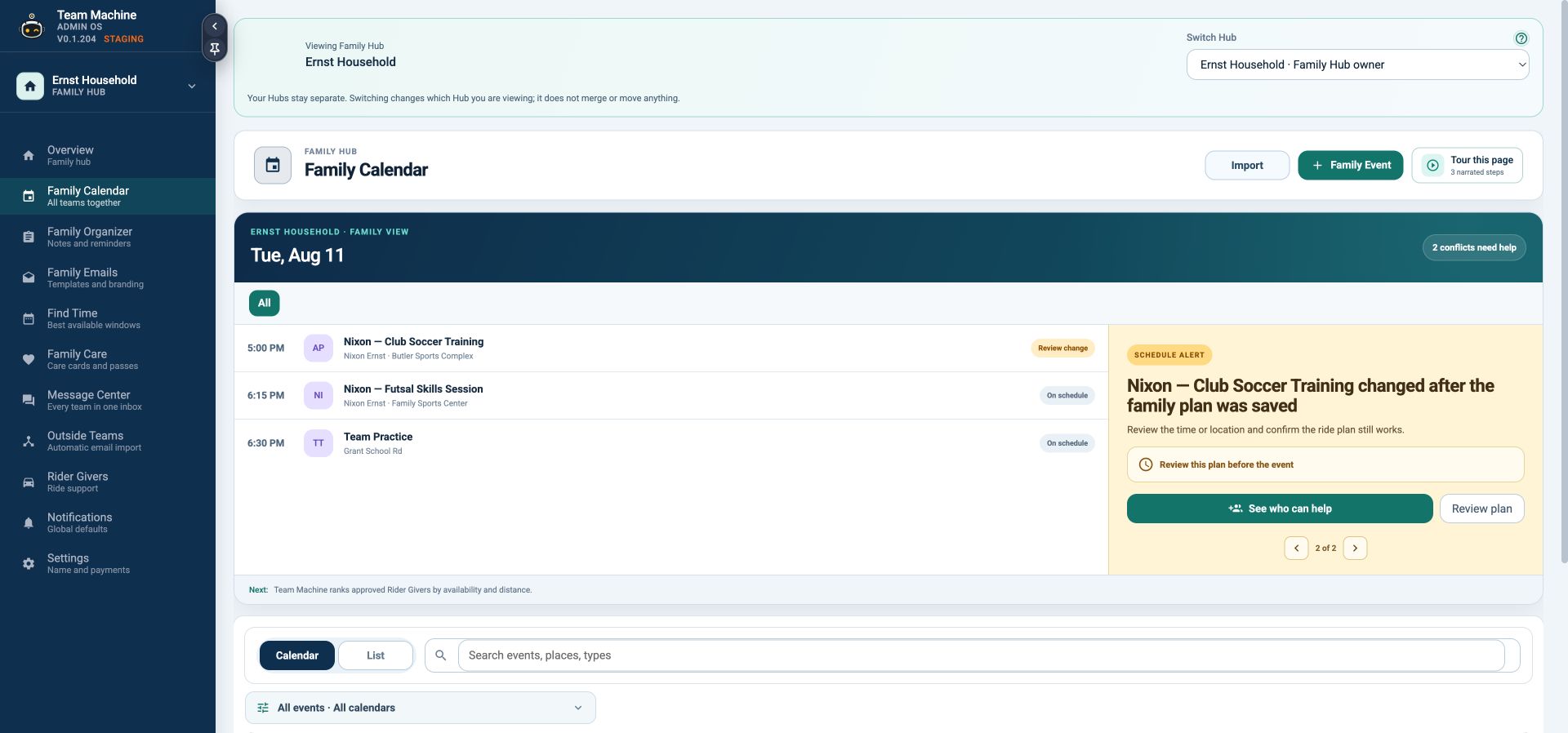
- NLNoel · Away singles matchCentral High · Outside-team emailDad drop-off
- NINixon · Varsity trainingHigh school field · Team calendarPickup open
- NENeve · Dance rehearsalStudio B · Google CalendarMom drop-off
- NINixon · Practice pickupMom in meeting · Dad volunteeringNo driver
- NENeve · Rehearsal pickupStudio B · Family calendarMom
THE ALERT BECOMES AN ACTION
Mom fixes the collision without starting another group text.
She opens the alert, sees approved Rider Givers ranked for this exact trip, and asks the best fit. One acceptance resolves the calendar.
- Grandma Elaine is available and only 12 minutes away
- Pickup permissions and notes are already saved
- Nixon, Mom, Dad, and the family schedule update together
Suggested Rider Givers
Approved for school and club pickup
Backup if Grandma cannot accept
THE REST OF REAL LIFE
Sports are not the only things on the calendar.
The household can add appointments, school events, work shifts, meals, travel, and any other commitment from the Family Hub.
- Personal events are created only in the Family Hub
- Private details never publish into team workspaces
- Family-visible events help everyone coordinate
THE PLAYER, NOT JUST THE EVENT
Keep development records tied to the right athlete.
Player cards connect roster identity, statistics, achievements, coach feedback, and family-added observations without turning them into public team messages.
- Game, fitness, technical, and custom statistics
- Coach comments and achievements
- Family-added notes and progress history
Great progress receiving on the half-turn. Keep checking the weak-side run.
Varsity coach · TodayThirty minutes of first-touch work completed Sunday.
Dad · SundayONE COMMUNICATION CENTER
Read and reply across every TeamMachine group.
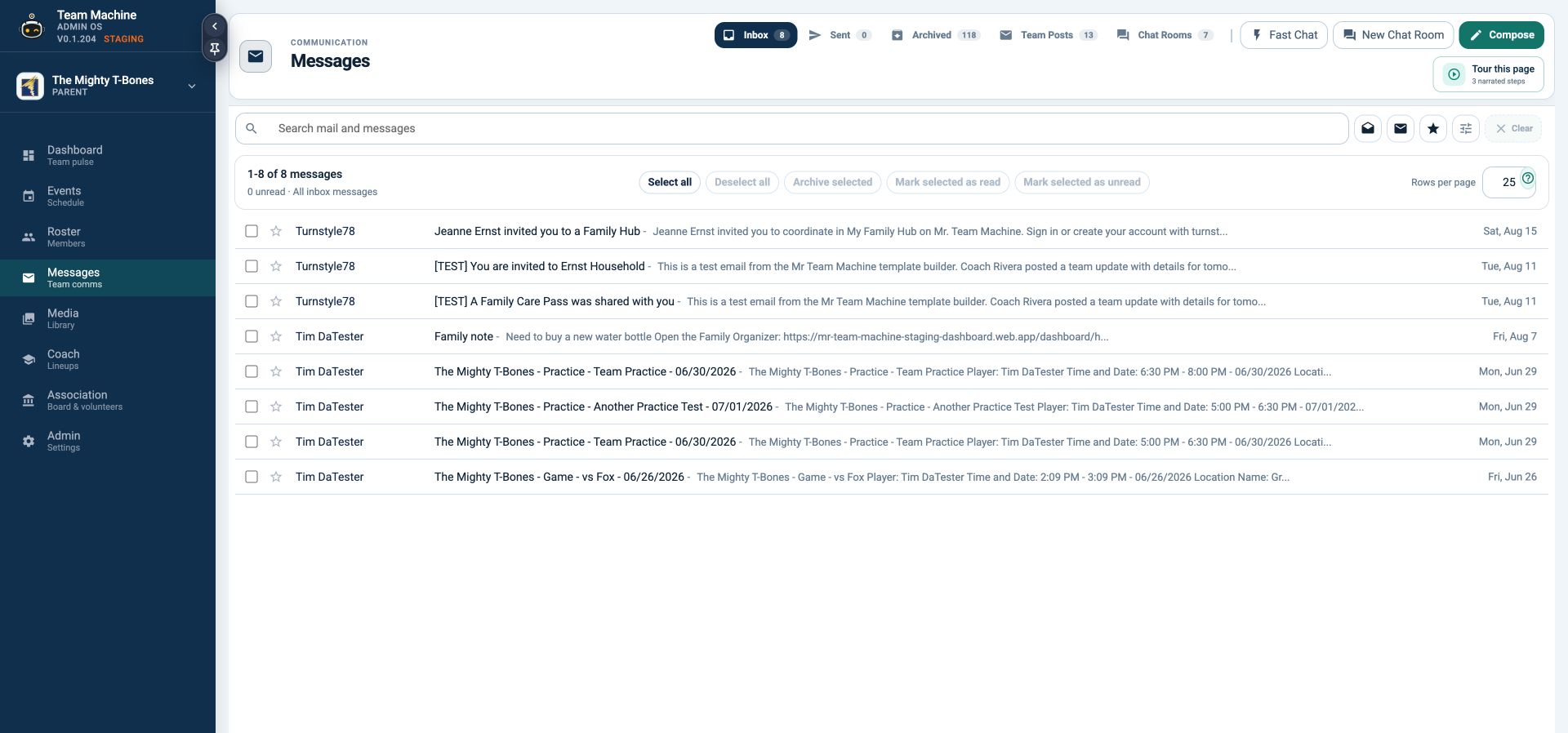
The Message Center combines only the communication each person is authorized to see, while every reply stays inside the correct team.
- Inbox, sent, archived, Team Posts, and attachments
- Fast Chat, chat rooms, and full compose tools
- Search and filter across one or many teams
CONNECT WHAT THEY ALREADY USE
The family gains control without forcing every team to switch.
Import a personal Google Calendar, keep it synced privately, and use the included shared household email for schedule changes from outside systems.
- One included @mrtm.app address per Family Hub
- Public Google Calendar ICS or calendar ID
- Outside teams discovered automatically by email
No mass migration required. Each organization can keep its current system.
Schedules, messages, rides, and team details stay connected while the family is busiest.
Personal calendars, player records, family members, and household planning keep the Hub alive year-round.
The product becomes a family habit—not another team app that disappears after the last game.
Your family is the team that matters the most.
Bring schedules, messages, rides, personal plans, and every team into one calmer family view.
Showing the complete Smith family.
Not another team group chat
One place that understands the whole week.
School. Work. Practices. Games. Pickups. Payments. TeamMachine brings the moving parts together, then keeps coaches and families working from the same trusted plan.
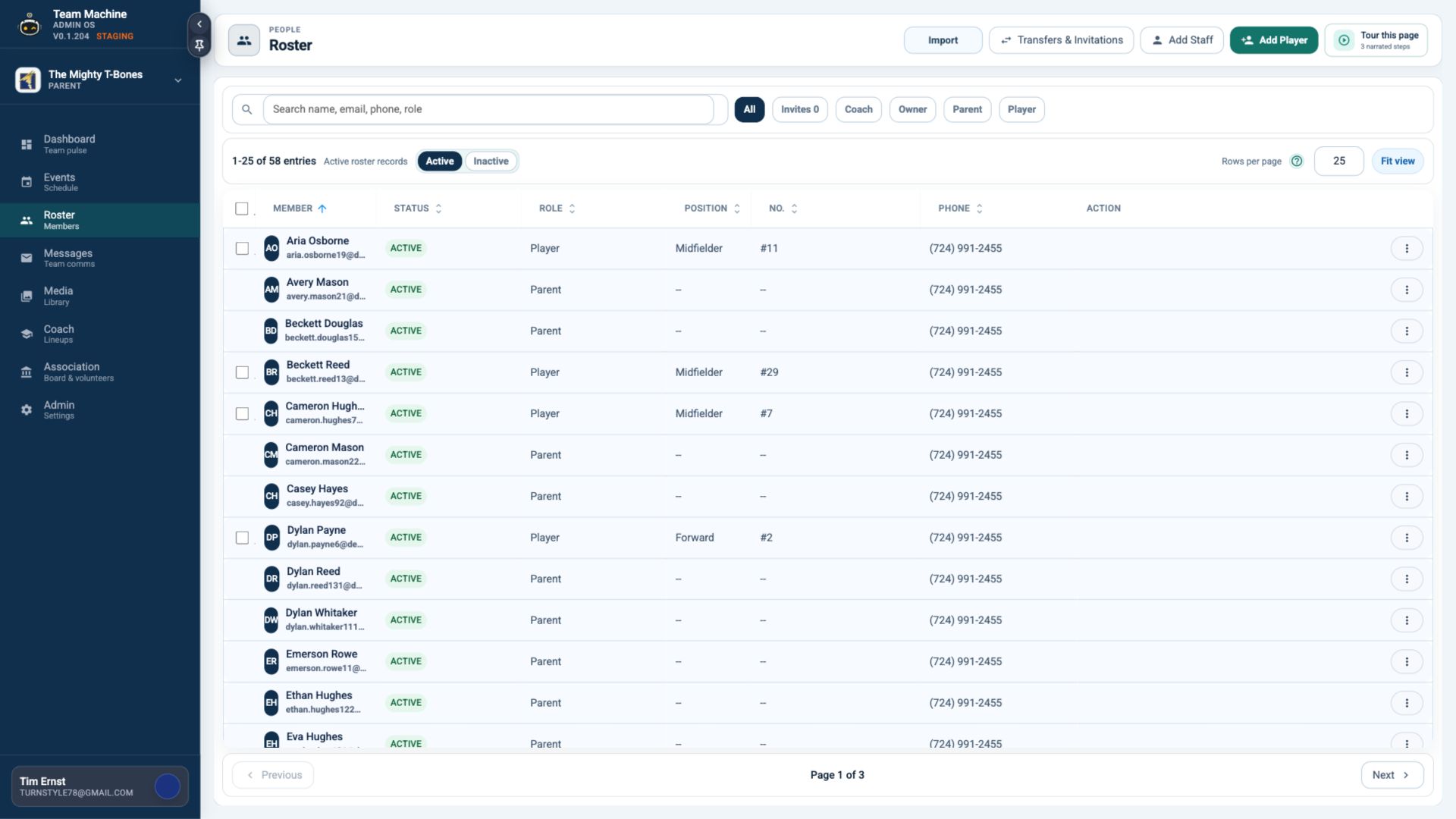
-
School drop-offEmma + Noah
-
Parent meetingDowntown · until 5:00
-
Soccer arrivalNorth Field · Emma
-
Baseball practiceRiverside · Noah
-
Home opener17 players ready
See the whole day
Three people. Four places. Zero detective work.
Private family events and every connected team schedule settle into one daily command center.
Interactive season story · choose a chapter or play the sequence
Family Calendar
See the whole family’s week in one clear place.
Bring team schedules, outside-team events, personal commitments, locations, and ride plans into one shared calendar without taking individual control away from anyone.
- Unify the planSee team and private family commitments together.
- Understand every eventKeep times, addresses, directions, attendance, and ride details together.
- Coordinate the handoffMake ride responsibilities and unresolved needs clear before the day begins.
One connected system
Change it once.
The whole team moves.
TeamMachine is not a pile of features. It is one shared source of truth. A schedule update carries the context people need—from the coach’s dashboard to the family’s pocket.
Coach updates
New field, time, arrival note, or opponent.
TeamMachine connects
Calendar, message, weather, directions, and game day.
Families know
Every invited person sees the plan that applies to them.
Two views. One team truth.
Calm for the family.
Command for the coach.
01 · The TeamMachine companion app
Every practice, pickup, payment, and memory—together.
Move between teams without rebuilding your life in another app. Keep up to twenty privately tracked family profiles, add personal commitments, and see the day with the details that matter.
- Multi-team and private family schedules
- Locations, arrival details, weather, and directions
- Messages, chat, media, forms, and team updates
- Invoices, orders, attendance, and game history
Supported on iPhone and AndroidAvailable through the Apple App Store and Google Play for invited beta users.
Request companion app access

02 · The season command center
Change it once. Lead from one place.
Set the season up, invite the team, prepare game day, and keep every role working with the right information—without becoming the team’s full-time dispatcher.
- Roster, roles, invitations, imports, and permissions
- Events, attendance, opponents, and season settings
- Lineups, formations, player development, and reports
- Messaging, surveys, media, invoices, and branded email

AMAlex MorganAvailableStarter
JRJordan ReedAvailableStarter
SKSam KimAwaitingBench
Coach command center · roster, readiness, lineup, and game-day context
Team identity · Style tools
Build a team people want to belong to.
Bring your team logo and colors into TeamMachine, then carry that identity across the app, dashboard, email, and team experience.
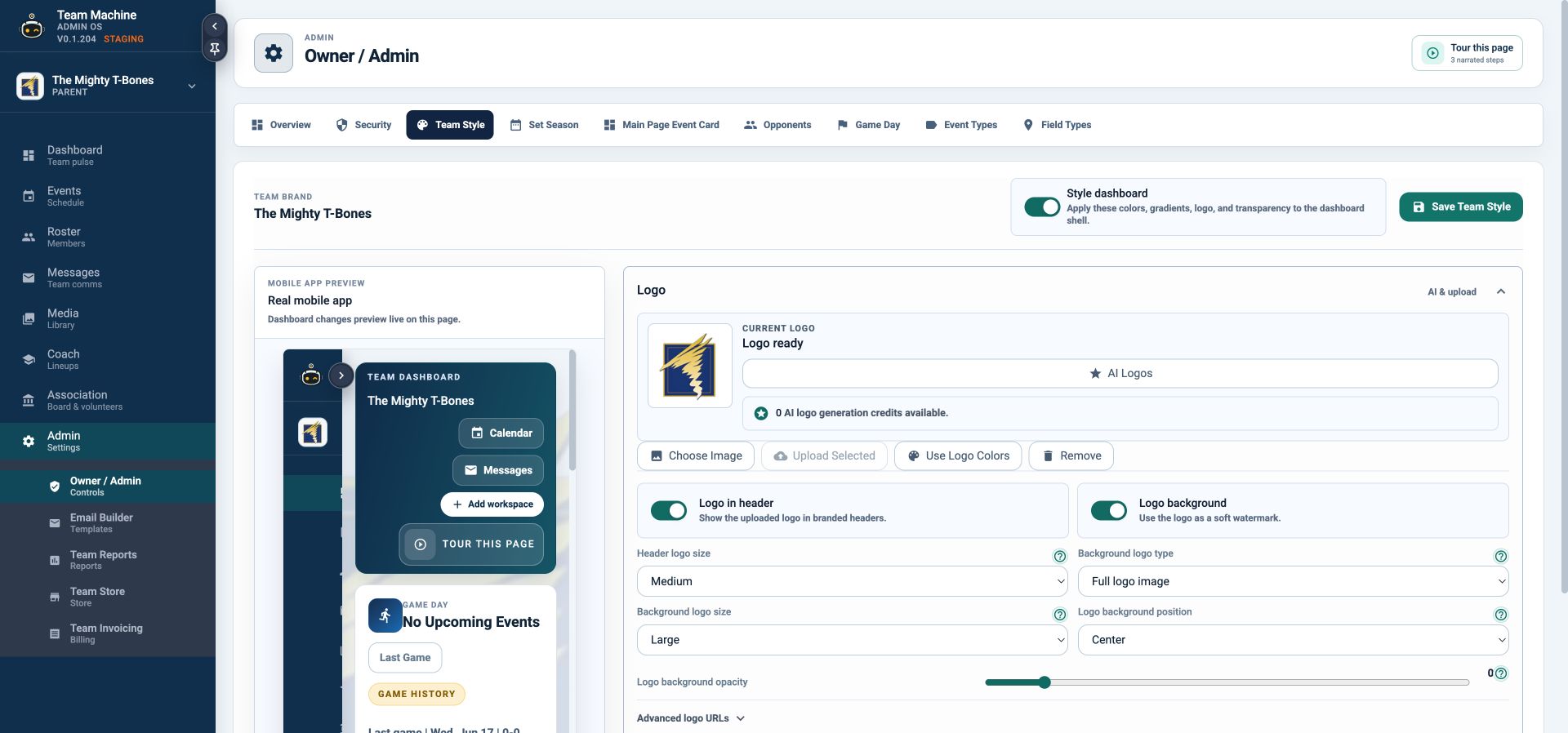
A connected team style system
Store preview Public storefront coming soon
Turn team spirit into team support.
Shape a branded catalog with products, variants, inventory, and discounts. TeamMachine’s store builder is taking form now; public checkout is the next release.
- Product design
- Sizes & variants
- Inventory
- Discounts
- Order tracking
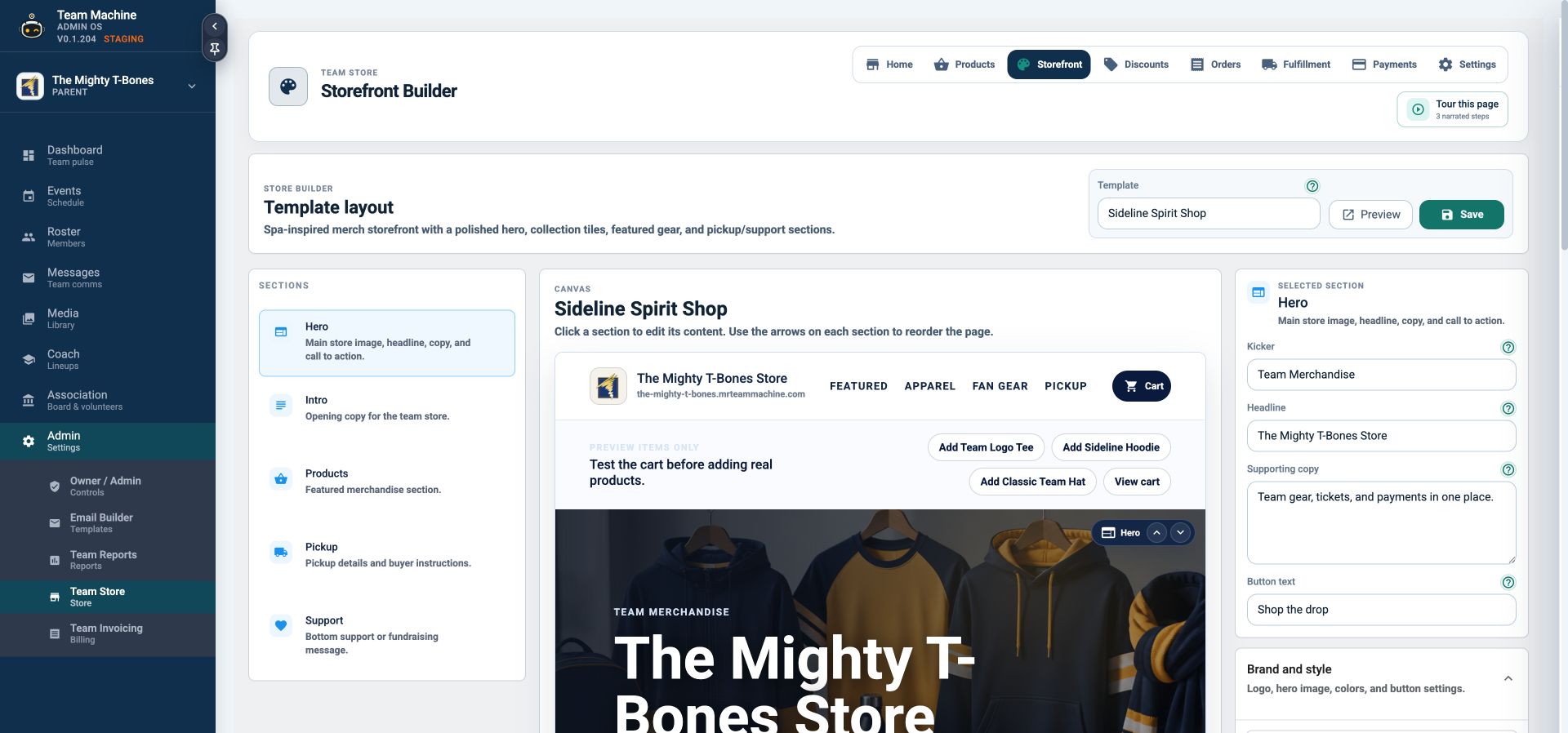
Store builder preview · public checkout coming soon
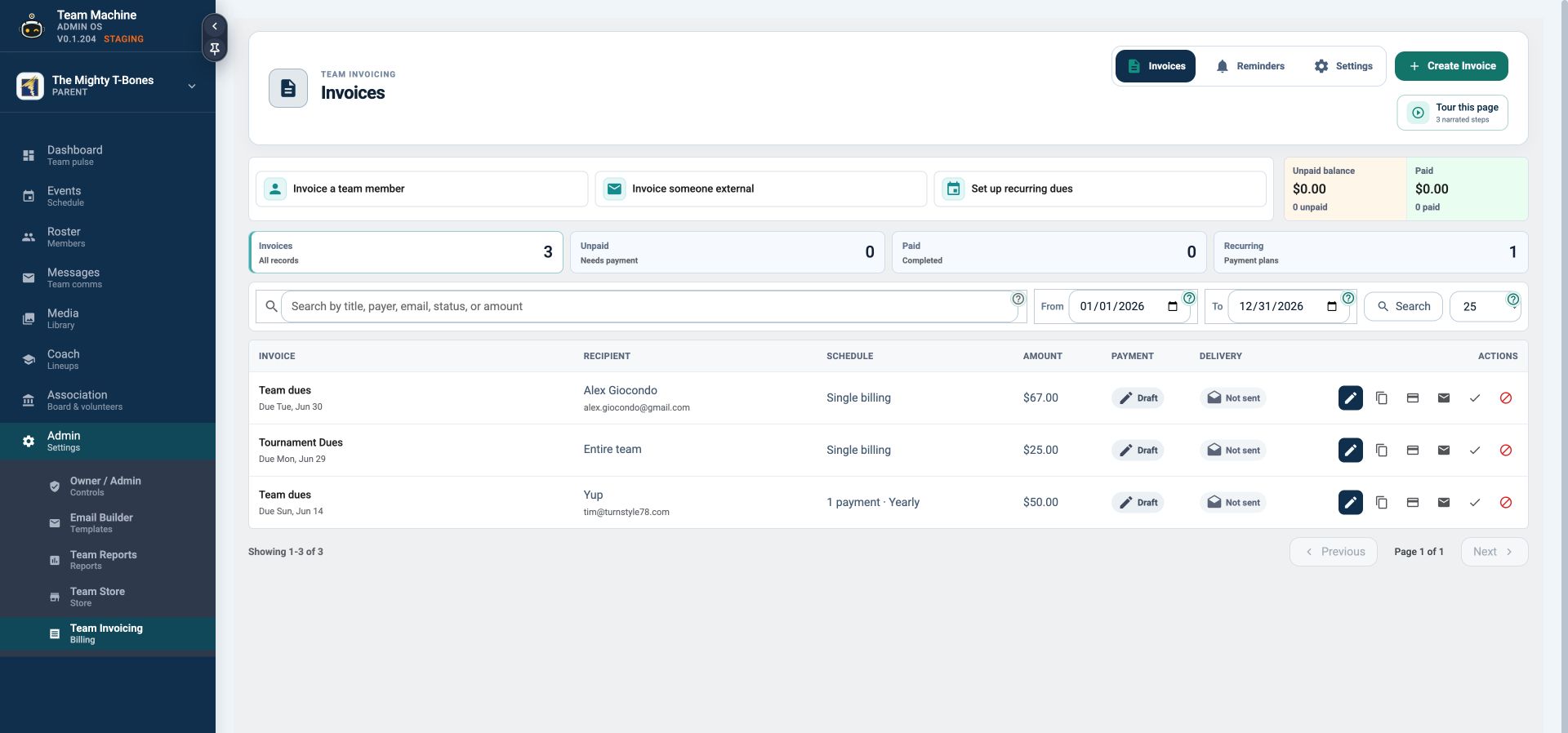
Team invoicing
Collect without chasing.
Send a one-time or recurring invoice, schedule a branded reminder, share a public payment link, and see the balance move to paid. Stripe checkout turns on when your team connects it.
- One-time and recurring schedules
- Public invoice pages and reminders
- Clear paid, due, and overdue status
Depth where it matters
More than a sports app.
A home for the life around it.
Every tool earns its place by reducing a handoff, answering a question, or preserving something the team should not lose.
Coach the player
Lineups, formations, readiness, goals, and growth.
Build reusable formations, save lineups, track player usage, capture feedback, and prepare with real context.
Communicate clearly
Messages that arrive with context.
Team posts, direct messages, priority notes, attachments, chat rooms, map pins, and quiet-hour choices.
Make it yours
Content and styling controls with real range.
Colors, gradients, backgrounds, transparency, mobile preview, branded email modules, media, files, and surveys.
Remember the season
Photos, video, files, milestones, and game history.
Connect media to the event, organize the library, share what belongs with the team, and keep the season story intact.
Optional live game video
Bring the game to everyone who cannot be there.
Start a native live broadcast, share a public viewing link, and archive the replay into Team Media after the stream.
From $7.99 for a two-hour broadcastBuilt around real roles
The right information, for the right person.
Owners, coaches, players, guardians, and invited family members do not all need the same view. TeamMachine uses roles, team access, sharing controls, and notification choices to keep the experience useful.
Give each person the tools that fit how they help.
Add a password, expiration, invited emails, or revoke a link.
Set priority and quiet-hour preferences around family life.
Closed beta · access by invitation
Let’s make sure TeamMachine fits your season.
We are working directly with a limited group of families, teams, and organizations. Public account creation and self-service enrollment are paused during the beta.
Share your family, team, or organization and what you need to make easier.
We will follow up with questions or a focused walkthrough.
If approved, we email a single-use code. Sign in with that email and TeamMachine walks you through starting your first team.
Beyond one sport
The schedule does not care what jersey they wear.
Soccer on Monday. Rehearsal on Tuesday. A school meeting on Thursday. A tournament all weekend. TeamMachine gives an active family one place to see the teams, the private commitments, and the handoffs between them.
Soccer trainingEmma · North Field
Parent meetingPrivate family event
Dance rehearsalMaya · Studio B
Home openerEmma · Stadium 2
School conferenceNoah · Lincoln School
Hockey practiceNoah · Ice Center
Fall tournament3 games · travel plan ready
Illustrative active-family week using current schedule capabilities
Good questions
Before you bring the team in.
Is TeamMachine only for sports teams?
No. Sports are where the scheduling pressure is easiest to see, but TeamMachine is being shaped as an active-family app: a connected home for teams, private family schedules, activities, rides, payments, communication, and the memories around them.
How do I get access during the beta?
Use the beta request form below. The request enters our private review queue and does not create an account. If approved, we email a single-use code tied to that email address; enter it in the app or dashboard and follow the guided team setup.
Can Family Calendar combine team and personal events?
Yes. Family Calendar brings team schedules and private family commitments into one view while preserving the access and visibility selected for each event.
Can we use our team logo and colors?
Yes. TeamMachine’s style tools let you add your existing logo, set team colors, and carry that identity through the team experience.
Is the public team store live?
The store builder is in preview. Catalog design, products, variants, inventory, discounts, and order tools are taking shape; the public storefront and connected checkout are coming soon. We do not currently promise manufacturing or shipping fulfillment.
Can teams collect dues and invoice families?
Yes. Teams can create public invoices, schedule one-time or recurring charges, send reminders, and track payment status. Secure online checkout activates when the team’s Stripe configuration is connected.
Request closed-beta access
Tell us what you need TeamMachine to manage.
This form places your request in our private beta review queue. It does not create an account or begin a subscription.
Ask about team setup, Family Calendar, the store preview, account access, or where TeamMachine is headed next.
The season moves fast
Your family is the team that matters the most.
One team. Every family. The plan, the people, and the moments that make it matter.